
skillet
Member
- Location
- Cornfields of Indiana
Well, before I begin, I do/will not take responsibility for anything that goes wrong. Modify at your own discretion. Always disconnect the battery before doing any electrical modifications or keep the ignition/accessories shut off until you have everything re-connected!
After having an iPod hook up in my MINI, I desperately needed one for the Infiniti. After doing research, it seemed to me that the USA Spec PA15-NIS was the one for me, and after seeing how much the price was on Black Friday, I had to buy it. That being said, lets get started :.smile:
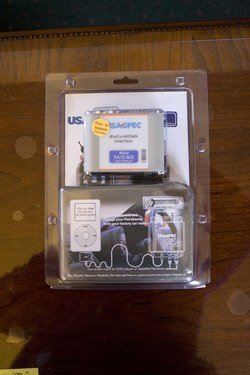
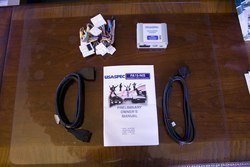
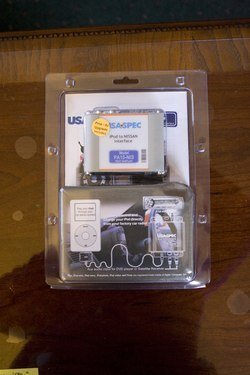
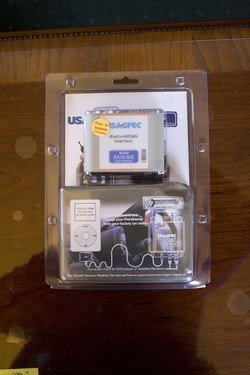
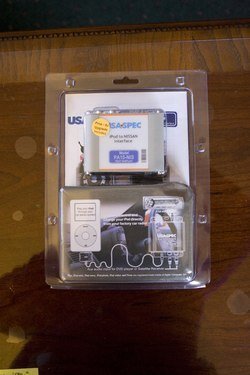
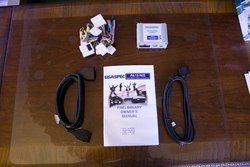
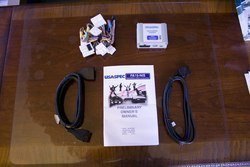
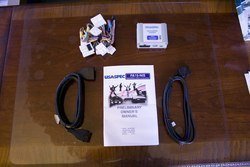
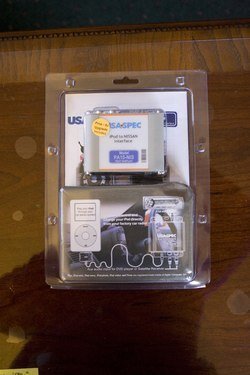
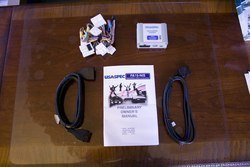
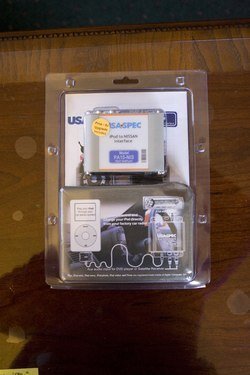
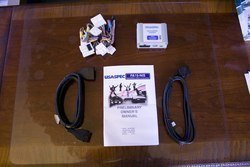
Here's the box and contents. The kit comes with a 10 & 20 pin harness. I used the 10 pin. I also have a 1st Gen iPod Touch, and didn't need the grounding cable to charge.
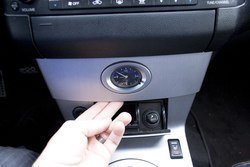
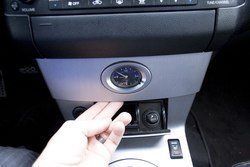
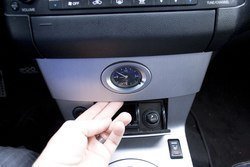
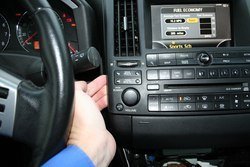
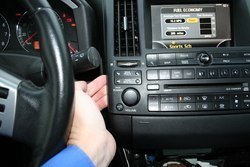
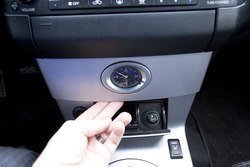
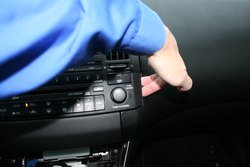
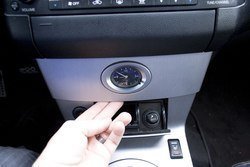
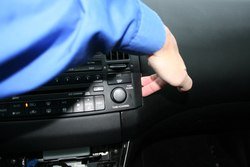
Inside the car, you'll start off by removing the stereo faceplate. Open the cigarette tray, grab the underside of the clock panel, and with a firm pull, pull it outwards and work it from side to side.
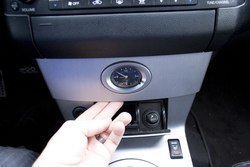
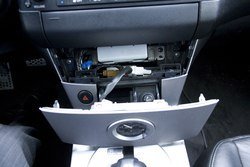
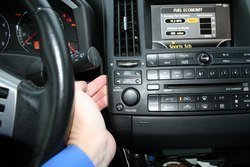
Now that the clock is out, remove the cord attached to the back. These are the hardest part of the install. I've never had clips that didn't want to come apart before. I felt like I was going to break something before these ever let go... Be patient and work with each one, and eventually, they'll come out.
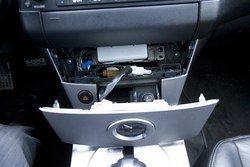
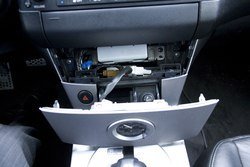
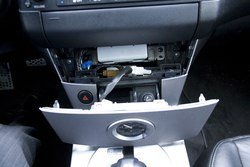
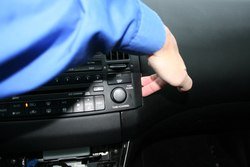
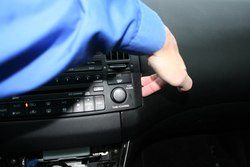
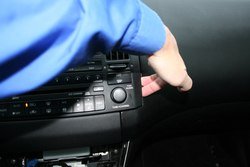
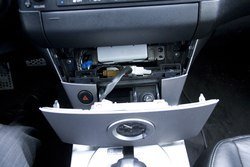
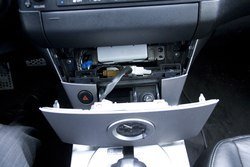
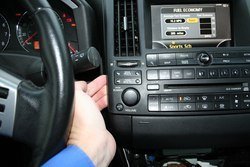
With the clock removed, grab the right side of the panel and pull outward. Once the bottom right corner lets go, slide your hand to the top, and pull the top right side corner out. Next, do the exact same steps to the left side starting at the bottom, working to the top.
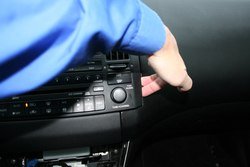
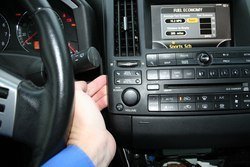
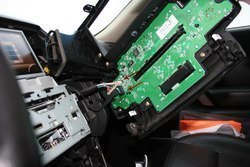
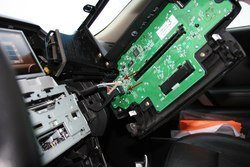
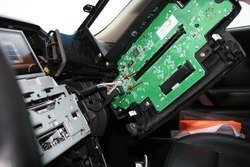
Now that the face is loose, it'll be dangling by 2 wires on the back. Be extremely careful! Unplug both of these wires, and set the face off in the backseat of the car.
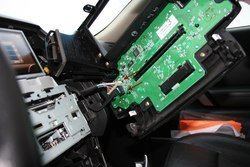
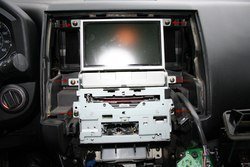
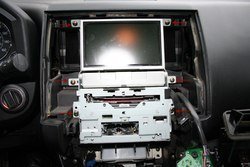
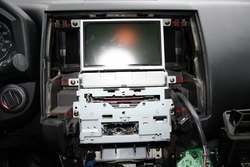
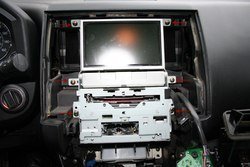
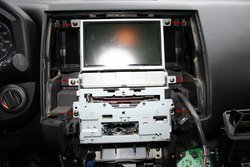
Now your headunit will be exposed. There are 6 screws (3 on each side) that hold the unit to the dash. Remove these. Again, be careful as to not drop any of these screws down into the dash!
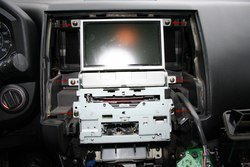
From here, I was kind of excited about my progress, and forgot to take more pictures. So, I'll post a link to 2 websites where they'll pick up where I left off. ///4377 & http://www.infinitifx.org/viewtopic.php?f=62&t=5966
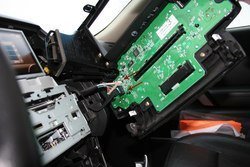
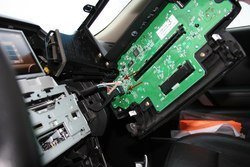
Basically, with the headunit out, you'll see connectors on the back of the Navigation unit (4 if I remember correctly) and stereo unit (6-7?). Go on ahead and disconnect the Navigation cables, and the top row of connectors for the stereo. At the bottom of the headunit, there will be 2 rows of connectors, and if my memory serves me right, the wiring harness supplied by USA Spec connects into the middle connector in each row. Connect the wiring harness back into the headunit, reconnect any connectors your unplugged, and next we'll install the PA15-NIS unit.
On the back of the navigation screen is where I mounted the PA15-NIS unit. I placed it sideways so the connector to the iPod was on the passenger side, and the wire to the wiring harness came out on the driver side of the unit. Move the unit around until you feel comfortable it'll fit back in the dash and not cause any problems. Some people have mounted with velcro, I used a double sided 3M VHB adhesive to mount the PA15-NIS to the nav screen. Once in place, we'll run the iPod wire next.
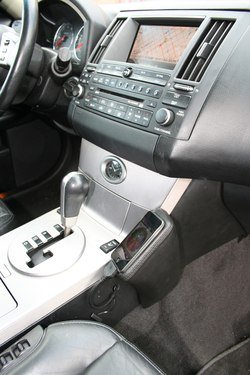
For the iPod connector, I drilled a hole through the side of the center console, ran the wire through the hole, up through the dash, behind the screen and then plugged it into the passenger side of the P15-NIS.
To remove the center console, there are 2 screws behind the clock. Remove those, and then carefully pull up on the outsides of the center console. First back by the cupholder and then move towards the clock. There will be a bunch of connectors again on the underside of the console. Be sure to carefully remove these and place console in the back seat. Now with this removed, you have access to anywhere you want to run the wire. Again, I chose to run it out the side of the console underneath the Kuda mount I bought.
Once you've checked that everything is working properly, install the center console (don't forget all those connectors), re-install the stereo/navigation screen, re-install stereo faceplate, and put the clock back in it's place.
I feel like I've only thoroughly explained the first half of the process, but hopefully, the other webpages will give you the pictures you need to proceed from where I left off. It really wasn't a hard job. In my opinion, any non-modding person/newbie to modifying can do this. It took me an hour...
Good luck, and let me know if this worked/helped you! Remember, disconnect the battery before doing any electrical modifications or keep the ignition/accessories shut off until you have everything re-connected!
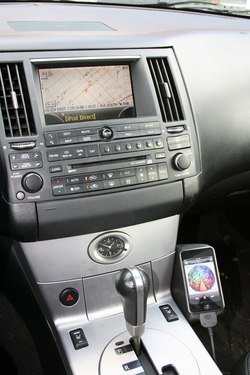
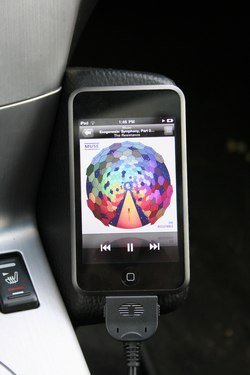
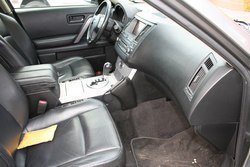
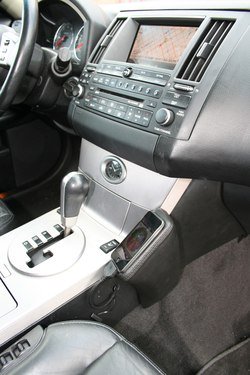
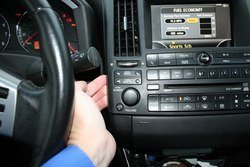
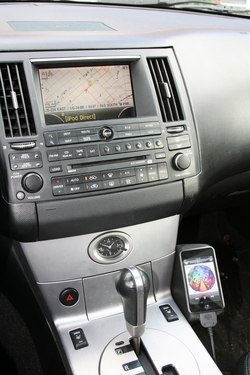
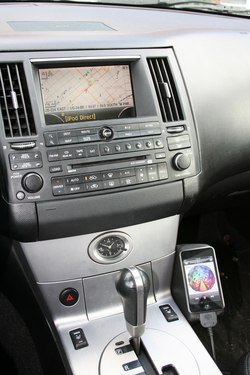
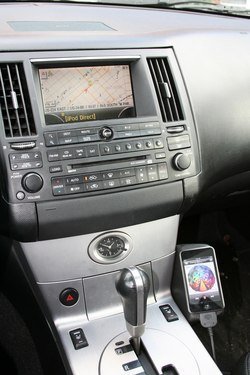
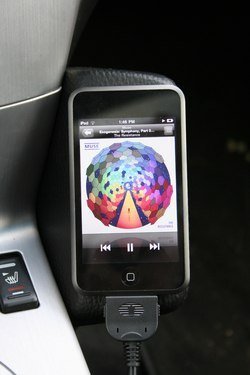
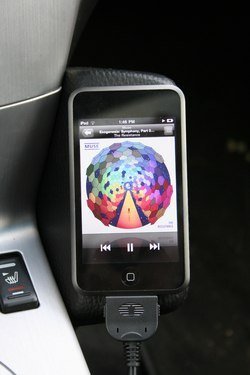
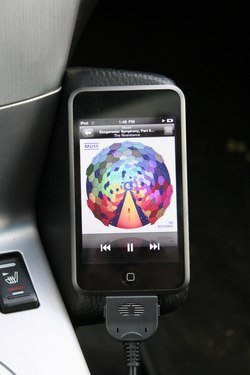
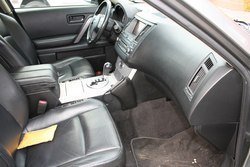
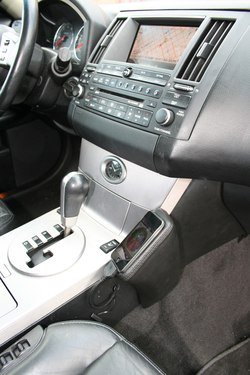
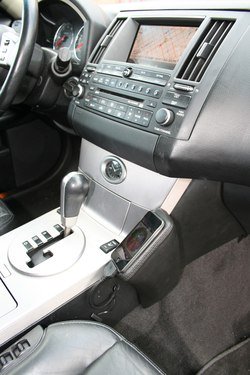
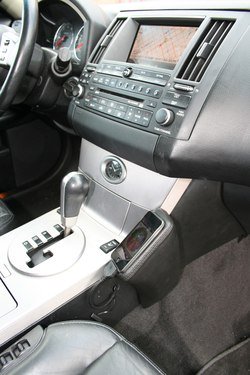
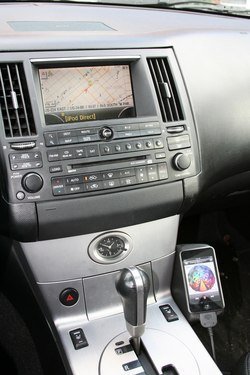
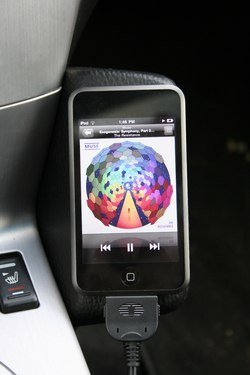
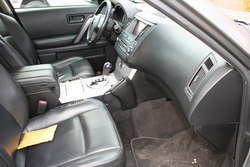
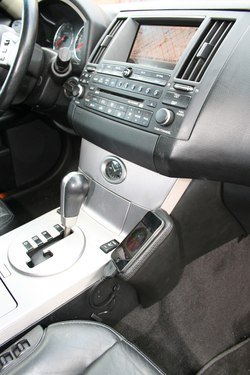
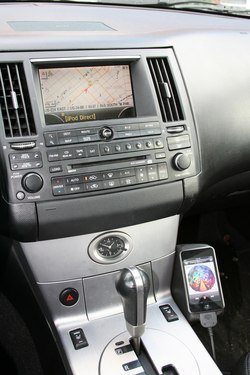
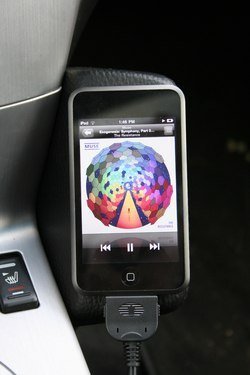
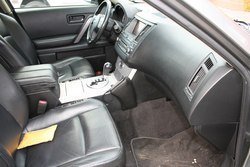
Here's the final product. When in "Direct Mode," titles or artist is not displayed. When directly connected and fully operational through the headunit, then you get the info across the screen. I prefer to have it running in "Direct Mode" so I can control from the iPod. **Ignore the hole. I have yet to purchase a grommet to fit in there, and run the wire through.**:tonguey:

After having an iPod hook up in my MINI, I desperately needed one for the Infiniti. After doing research, it seemed to me that the USA Spec PA15-NIS was the one for me, and after seeing how much the price was on Black Friday, I had to buy it. That being said, lets get started :.smile:
Here's the box and contents. The kit comes with a 10 & 20 pin harness. I used the 10 pin. I also have a 1st Gen iPod Touch, and didn't need the grounding cable to charge.
Inside the car, you'll start off by removing the stereo faceplate. Open the cigarette tray, grab the underside of the clock panel, and with a firm pull, pull it outwards and work it from side to side.
Now that the clock is out, remove the cord attached to the back. These are the hardest part of the install. I've never had clips that didn't want to come apart before. I felt like I was going to break something before these ever let go... Be patient and work with each one, and eventually, they'll come out.
With the clock removed, grab the right side of the panel and pull outward. Once the bottom right corner lets go, slide your hand to the top, and pull the top right side corner out. Next, do the exact same steps to the left side starting at the bottom, working to the top.
Now that the face is loose, it'll be dangling by 2 wires on the back. Be extremely careful! Unplug both of these wires, and set the face off in the backseat of the car.
Now your headunit will be exposed. There are 6 screws (3 on each side) that hold the unit to the dash. Remove these. Again, be careful as to not drop any of these screws down into the dash!
From here, I was kind of excited about my progress, and forgot to take more pictures. So, I'll post a link to 2 websites where they'll pick up where I left off. ///4377 & http://www.infinitifx.org/viewtopic.php?f=62&t=5966
Basically, with the headunit out, you'll see connectors on the back of the Navigation unit (4 if I remember correctly) and stereo unit (6-7?). Go on ahead and disconnect the Navigation cables, and the top row of connectors for the stereo. At the bottom of the headunit, there will be 2 rows of connectors, and if my memory serves me right, the wiring harness supplied by USA Spec connects into the middle connector in each row. Connect the wiring harness back into the headunit, reconnect any connectors your unplugged, and next we'll install the PA15-NIS unit.
On the back of the navigation screen is where I mounted the PA15-NIS unit. I placed it sideways so the connector to the iPod was on the passenger side, and the wire to the wiring harness came out on the driver side of the unit. Move the unit around until you feel comfortable it'll fit back in the dash and not cause any problems. Some people have mounted with velcro, I used a double sided 3M VHB adhesive to mount the PA15-NIS to the nav screen. Once in place, we'll run the iPod wire next.
For the iPod connector, I drilled a hole through the side of the center console, ran the wire through the hole, up through the dash, behind the screen and then plugged it into the passenger side of the P15-NIS.
To remove the center console, there are 2 screws behind the clock. Remove those, and then carefully pull up on the outsides of the center console. First back by the cupholder and then move towards the clock. There will be a bunch of connectors again on the underside of the console. Be sure to carefully remove these and place console in the back seat. Now with this removed, you have access to anywhere you want to run the wire. Again, I chose to run it out the side of the console underneath the Kuda mount I bought.
Once you've checked that everything is working properly, install the center console (don't forget all those connectors), re-install the stereo/navigation screen, re-install stereo faceplate, and put the clock back in it's place.
I feel like I've only thoroughly explained the first half of the process, but hopefully, the other webpages will give you the pictures you need to proceed from where I left off. It really wasn't a hard job. In my opinion, any non-modding person/newbie to modifying can do this. It took me an hour...
Good luck, and let me know if this worked/helped you! Remember, disconnect the battery before doing any electrical modifications or keep the ignition/accessories shut off until you have everything re-connected!
Here's the final product. When in "Direct Mode," titles or artist is not displayed. When directly connected and fully operational through the headunit, then you get the info across the screen. I prefer to have it running in "Direct Mode" so I can control from the iPod. **Ignore the hole. I have yet to purchase a grommet to fit in there, and run the wire through.**:tonguey:
Attachments
-
 4158493576_b026904964_o.jpg91.9 KB · Views: 52
 -
 4158493576_b026904964_o.jpg91.9 KB · Views: 51
 -
 4158493576_b026904964_o.jpg91.9 KB · Views: 48
 -
 4157732173_784e39741d_o.jpg97.1 KB · Views: 48
 -
 4157732173_784e39741d_o.jpg97.1 KB · Views: 63
 -
 4157732173_784e39741d_o.jpg97.1 KB · Views: 66
 -
 4158494174_bd6ce52f74_o.jpg80 KB · Views: 56
 -
 4158494174_bd6ce52f74_o.jpg80 KB · Views: 63
 -
 4158494174_bd6ce52f74_o.jpg80 KB · Views: 66
 -
 4158493990_afcd026a97_o.jpg85.5 KB · Views: 44
 -
 4158493990_afcd026a97_o.jpg85.5 KB · Views: 57
 -
 4158493990_afcd026a97_o.jpg85.5 KB · Views: 58
 -
 4157731107_58418fd972_o.jpg68.5 KB · Views: 49
 -
 4157731107_58418fd972_o.jpg68.5 KB · Views: 51
 -
 4157731107_58418fd972_o.jpg68.5 KB · Views: 76
 -
 4158492922_469d121215_o.jpg102.4 KB · Views: 52
 -
 4158492922_469d121215_o.jpg102.4 KB · Views: 59
 -
 4158492922_469d121215_o.jpg102.4 KB · Views: 47
 -
 4158493118_a290b1f19a_o.jpg107.2 KB · Views: 62
 -
 4158493118_a290b1f19a_o.jpg107.2 KB · Views: 71
 -
 4158493118_a290b1f19a_o.jpg107.2 KB · Views: 57
 -
 4158493332_c3d70d820f_o.jpg101.6 KB · Views: 55
 -
 4158493332_c3d70d820f_o.jpg101.6 KB · Views: 62
 -
 4158493332_c3d70d820f_o.jpg101.6 KB · Views: 67
 -
 4157822911_cf9c3079d1_o.jpg202.4 KB · Views: 57
 -
 4157822911_cf9c3079d1_o.jpg202.4 KB · Views: 55
 -
 4157822911_cf9c3079d1_o.jpg202.4 KB · Views: 52
 -
 4157823165_6cefba4b9a_o.jpg130.6 KB · Views: 51
 -
 4157823165_6cefba4b9a_o.jpg130.6 KB · Views: 65
 -
 4157823165_6cefba4b9a_o.jpg130.6 KB · Views: 76
 -
 4158585744_3237c43fbd_o.jpg102.7 KB · Views: 63
 -
 4158585744_3237c43fbd_o.jpg102.7 KB · Views: 60
 -
 4158585744_3237c43fbd_o.jpg102.7 KB · Views: 50
 -
 4158586046_45266a619f_o.jpg200.6 KB · Views: 53
 -
 4158586046_45266a619f_o.jpg200.6 KB · Views: 67
 -
 4158586046_45266a619f_o.jpg200.6 KB · Views: 56
 -
 4158493576_b026904964_o.jpg91.9 KB · Views: 52
 -
 4157732173_784e39741d_o.jpg97.1 KB · Views: 65
 -
 4158494174_bd6ce52f74_o.jpg80 KB · Views: 69
 -
 4158493990_afcd026a97_o.jpg85.5 KB · Views: 60
 -
 4157731107_58418fd972_o.jpg68.5 KB · Views: 53
 -
 4158492922_469d121215_o.jpg102.4 KB · Views: 68
 -
 4158493118_a290b1f19a_o.jpg107.2 KB · Views: 54
 -
 4158493332_c3d70d820f_o.jpg101.6 KB · Views: 77
 -
 4157822911_cf9c3079d1_o.jpg202.4 KB · Views: 48
 -
 4157823165_6cefba4b9a_o.jpg130.6 KB · Views: 42
 -
 4158585744_3237c43fbd_o.jpg102.7 KB · Views: 56
 -
 4158586046_45266a619f_o.jpg200.6 KB · Views: 58
 -
 4158493576_b026904964_o.jpg91.9 KB · Views: 73
 -
 4157732173_784e39741d_o.jpg97.1 KB · Views: 59
 -
 4158494174_bd6ce52f74_o.jpg80 KB · Views: 60
 -
 4158493990_afcd026a97_o.jpg85.5 KB · Views: 51
 -
 4157731107_58418fd972_o.jpg68.5 KB · Views: 50
 -
 4158492922_469d121215_o.jpg102.4 KB · Views: 57
 -
 4158493118_a290b1f19a_o.jpg107.2 KB · Views: 67
 -
 4158493332_c3d70d820f_o.jpg101.6 KB · Views: 49
 -
 4157822911_cf9c3079d1_o.jpg202.4 KB · Views: 49
 -
 4157823165_6cefba4b9a_o.jpg130.6 KB · Views: 65
 -
 4158585744_3237c43fbd_o.jpg102.7 KB · Views: 67
 -
 4158586046_45266a619f_o.jpg200.6 KB · Views: 75
Last edited:

