
So this is my first DIY on the forum, and I’ve tried to be as detailed as possible. If I happened to miss something please let me know and I’ll add it to the DIY steps. This DIY takes you step-by-step through the process of installing TSX clear lenses, blacking out the headlights, and also adding angel eyes to the headlights. I’d like to thank all the forum members that I messaged with numerous questions about this project, I’m sure you all got annoyed of my multiple messages, but I hope this DIY more than makes up for it!!
I take no responsibility for any damage done to your lights, perform at your own risk!!
So here it goes:
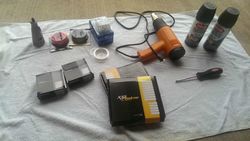
Tools/Items Needed:
Headlights
Philips screwdriver
Flat head screwdriver
Heat gun or Oven
Picture hanging wire (or any thin copper wire)
TSX clear lenses
Angel Eyes
Dremel or drill
Spray Paint (I used Krylon Fusion Satin Black)
Sandpaper (1000-1500 grit)
Alcohol wipes
Gloves
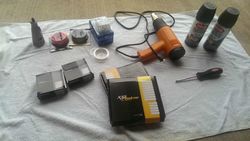
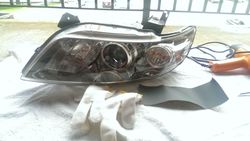
The first step that needs to be done is to remove your headlights from the car. I had an extra pair of headlights so I didn’t need to do this step. For reference, please see the following DIY to remove the front bumper so that you’ll be able to remove your headlights:
https://www.infinitiscene.com/search/1/?q=4590-Front-Bumper-Removal
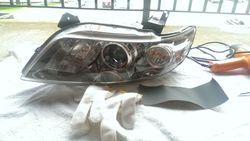
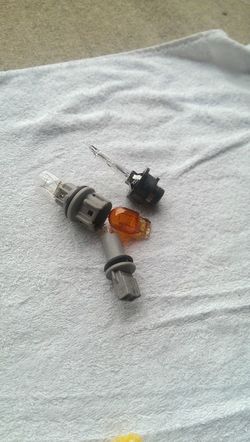
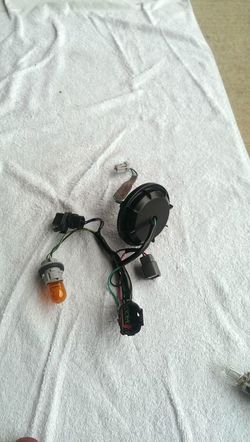
Once your headlights are out, remove all the bulbs and sockets from the headlights, along with all the wiring and ballasts, see the pics below:
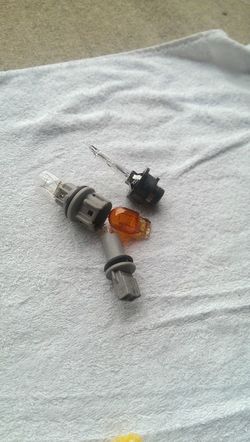
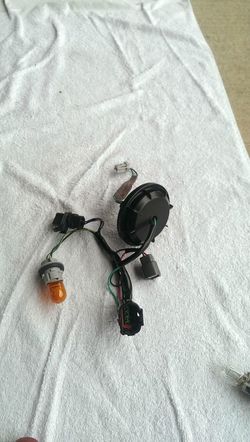
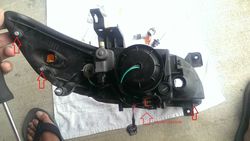
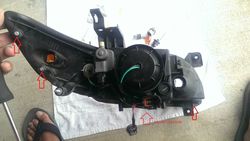
Once you have all these items removed, remove the following three screws:
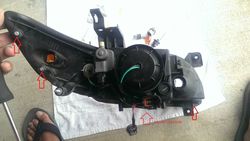
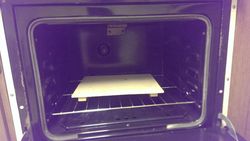
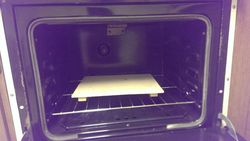
Then, you’re ready to pop the headlights into your oven. You can also use a heat gun, but it will just take a lot longer to separate the lights. I set the temperature of the oven to 300 degrees and let it preheat for about 5 minutes and then shut the oven off. MAKE SURE YOU TURN THE OVEN OFF AFTER IT PREHEATS!! Then I opened up the oven, placed a wooden plank on the rack and then placed the headlight on top of the plank. I then shut the oven door, and left the light inside for a further five minutes.
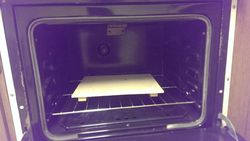
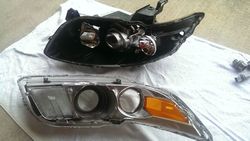
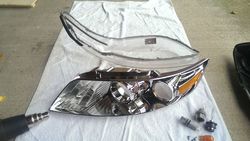
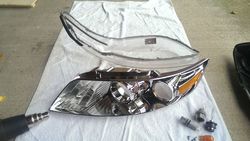
Before taking out the light, put on some heat gloves or have a towel handy. Once the light is out start pulling the black, back portion away from the front, clear portion of the light. This part was actually a lot easier than I thought it would be. I didn’t even have to use a flat head screw driver to pry them apart. I just pulled apart the two portions with my hands and they came apart easily. This is what you’re light will look like once pulled apart:
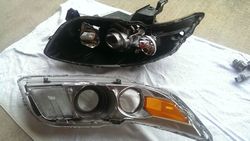
Let’s start working on the front, clear portion first. The front portion is further broken down into two parts. To do this remove the following screws:
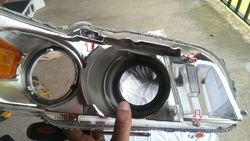
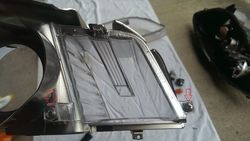
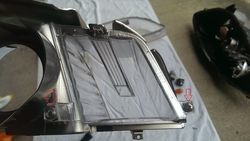
Once that’s done, your light will look like this:
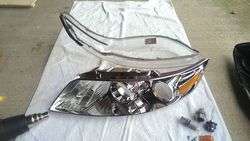
Now to remove the DTRL clear lens, orange side marker, and clear turn signal marker:
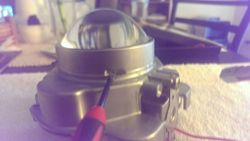
Remove these two screws (I had already removed the one on the left when I took the pic):
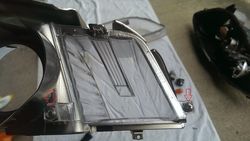
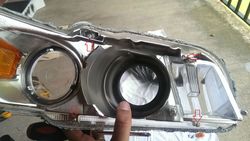
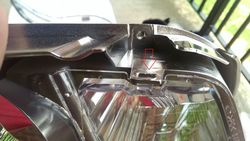
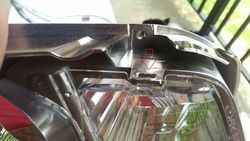
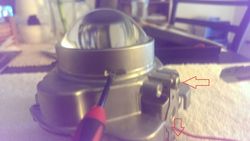
Once removed, lift this silver tab up a bit and the DTRL marker should come out easily. Don’t use too much force on the tab, or you might risk breaking it:
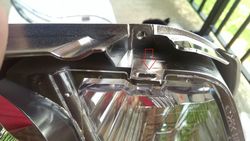
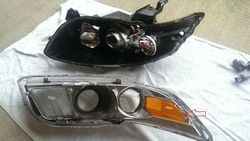
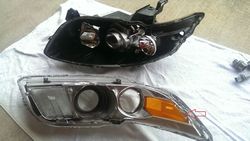
There is a similar sort of tab holding down the orange side marker. I forgot to take a close up pic of it, but I’ve highlighted it in this pic. Lift this tab up slightly and the orange marker should come out fairly easily too.
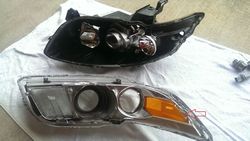
For the clear turn signal lens just pry around with these tabs:
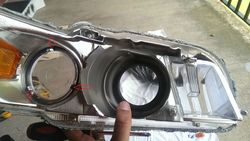
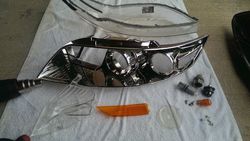
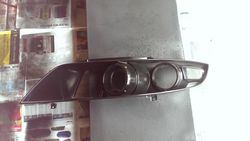
This is what you’re light will look like after:
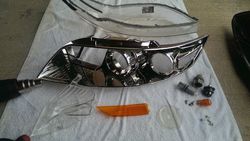
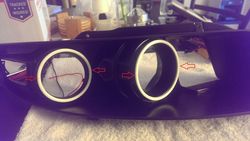
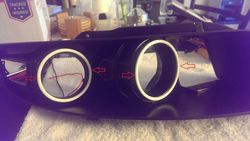
Once you have the chrome portion of the light separated, you need to drill some holes for the angel eye wiring and for the wiring that you will be using for mounting the angel eyes. You could also use some JB weld epoxy to attach the angel eyes if you don’t want to drill holes, but that is a more permanent solution and the angel eyes will be difficult to remove if they ever end up fusing out and needing to be replaced. However, you will need to drill a hole for the electrical wiring that is connected to the angel eyes. Here are pics of the holes I drilled:
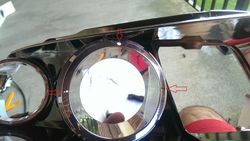
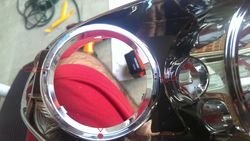
Once you have these holes drilled, it’s time to sand down the chrome in order to get it ready for painting. This isn’t a necessary step since the Krylon fusion spray bonds to plastic, but I went ahead and did it anyways. I used 1500 grit sandpaper and wet sanded the shrouds until they were scuffed up. Let them dry thoroughly before painting (sorry no pic of the wet sanding step)
Once the shrouds are completely dry, proceed to paint them. After two coats of Krylon Fusion Satin Black (I did a total of three coats):
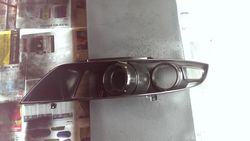
I let the shrouds dry overnight (might have been a bit overkill but I wasn’t in a hurry to complete the project so I took my time) with a fan blowing air over them.
Once the paint is dry you can proceed to attach the angel eyes to the shrouds.
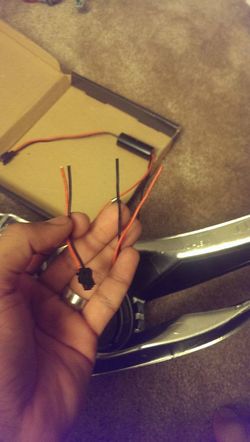
You’ll need to cut the wires coming out from the angel eyes in order to be able to pass them through the hole you drilled in the shroud previously (they have a plug on the end of them that is too big to fit through the hole):
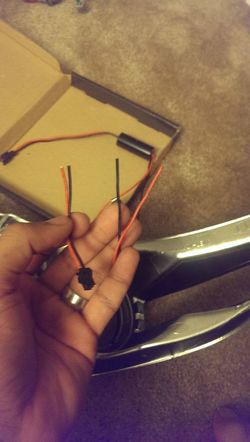
Once the wires are cut, pass the wires through the hole in the shroud.
You may then proceed to use some picture hanging wire (or copper wire, I used some 26 gauge wire) to mount the angel eyes to the shrouds securely. Alternatively, you may use some JB weld epoxy, it’s really up to you.
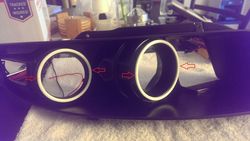
Once the angel eyes are mounted, you may proceed to strip the wires that you previously cut, and reattach them back to the angel eyes. I simply stripped the plastic off them, put some heat shrink on top and wrapped them in electrical tape. You could also solder them together, but I have no experience soldering so I went the heat shrink route.
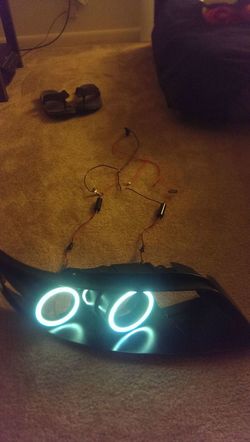
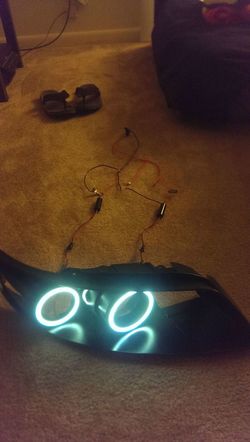
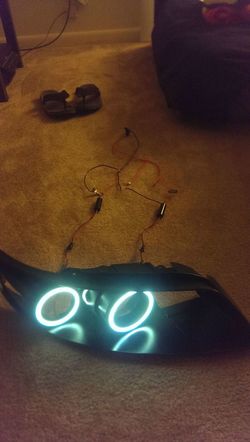
Before I closed up the headlights, I wanted to make sure the angel eyes were working properly, so I wired everything up and proceeded to connect them to a small 12 volt battery to make sure they lighted up (I let them run until the battery died, about an hour):
So now that we’ve blacked out our headlights and added angel eyes, it’s time to mod the projectors and add the clear TSX lenses:
Take out the following 4 screws:
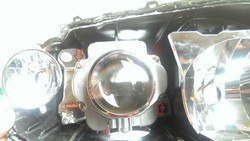
Once the screws are out, the projector should come out easily
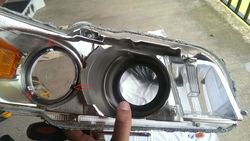
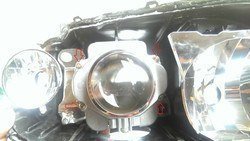
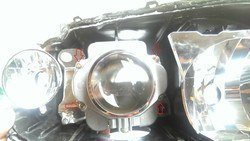
Once the projector is out, you need to pry the retaining cover off like so in order to remove the stock lens:
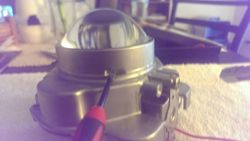
There are various indentations across the retaining cover that you need to slowly pry up. Go slow, and do each side equally until the cover comes off. Don’t use too much force on one side while ignoring the other sides, you’ll never get it off if you do it like that.
Once the retaining cover is removed, simply pick up the stock lens and move it to the side.
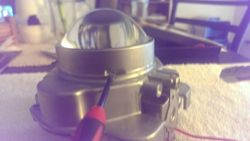
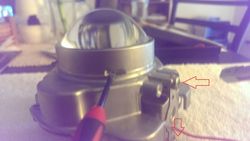
The next step that you need to do is remove the cutoff shield so that it can be modified. I forgot to take a pic of this so I’m using a previous picture to show what screws need to be removed first:
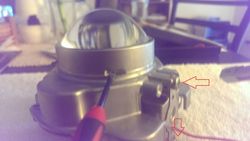
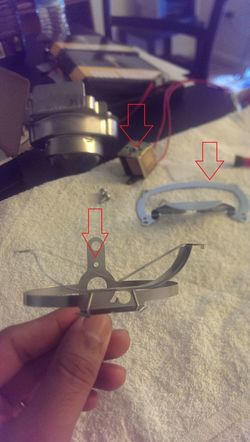
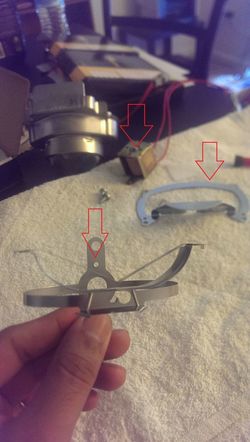
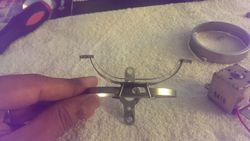
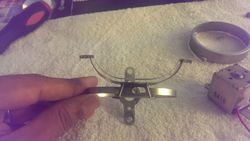
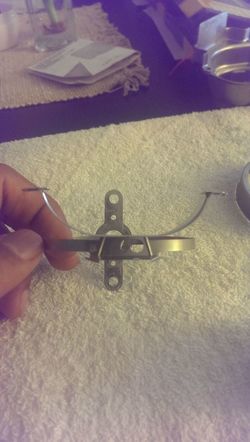
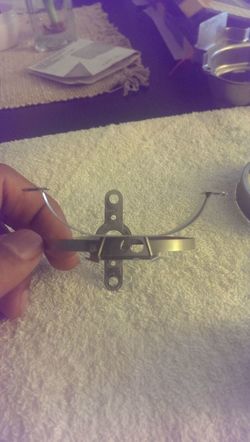
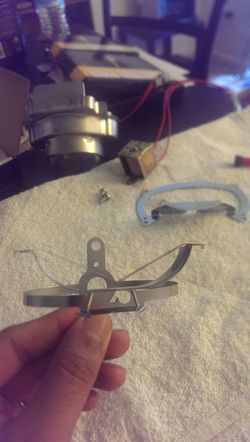
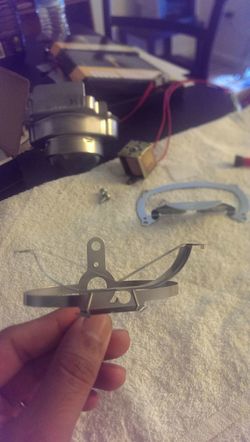
Once these two screws are removed, the cutoff shield should come out fairly easily. You should have these three items that were removed:
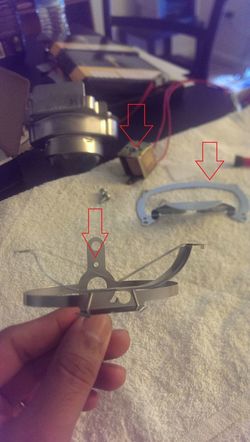
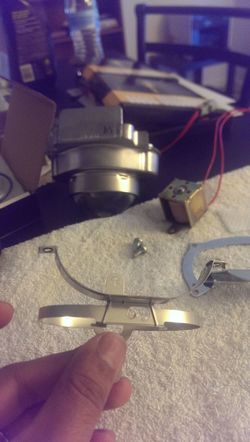
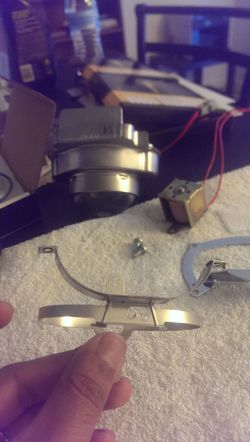
Now, as most of you know, there are two types of headlights for the Fx; the pre-recall and post-recall headlights. The cut-off shields for both headlights are different. I somehow ended up with one pre-recall and one post-recall headlight so I will show what exactly needs to be removed on both shields. You can snip them off using scissors or a Dremel. I used a Dremel.
PRE-RECALL:
Before:
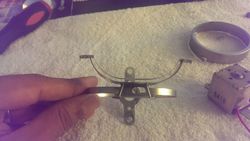
After:
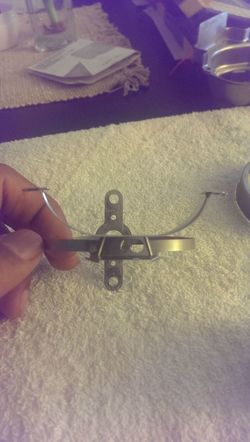
POST-RECALL:
Before:
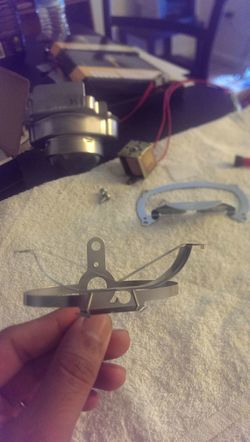
After:
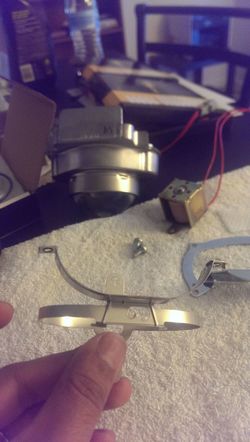
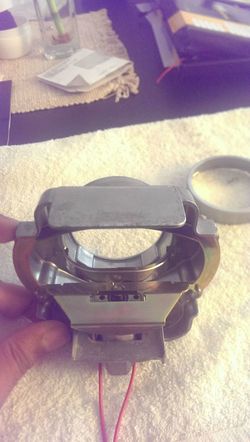
Once these shields are removed, you may re-assemble the projector (minus the clear TSX lens). Here is what it looks like reassembled:
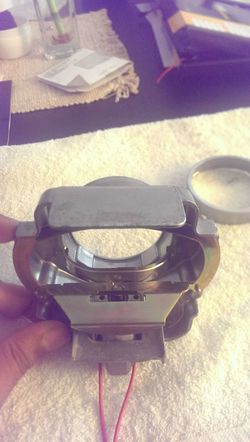
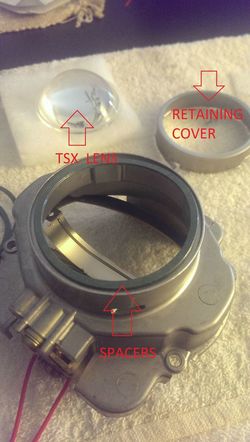
Once you have the cutoff shield re-installed, it is time to install the TSX clear lens. Put two spacers in the location that is shown in the pic (I bought the spacers with the TSX lenses, you can also make your own if you want):
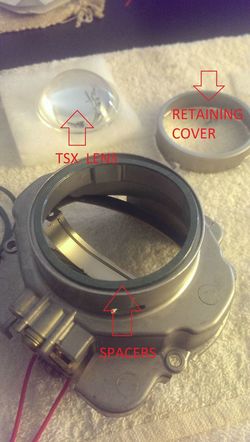
Before installing the clear lens, I wiped it down with some alcohol wipes to get rid of any dust or debris on them, and made sure they were clean.
Once clean, place the clear lens on top of the spacers, and proceed to put the retaining cover back on. Make sure you go slow and steady, you don’t want to end up scratching your brand new clear lens!
Once the lens is installed, just reattach the projector to the headlight housing with the four screws that you removed previously.
Now all you need to do is reassemble everything!! Just go in the reverse order of what I’ve written and reattach all markers etc. Once you have the blacked out shroud attached to the clear front portion of the headlight, you will need to reattach it to the rear, black portion of the headlight. Just push together both portions as much as you can and then use the same heating method as mentioned above (the oven method) to re-melt the glue. Once the glue is re-melted, further push together both portions of the headlight. You may even add some silicone around the joints for added protection (I did).
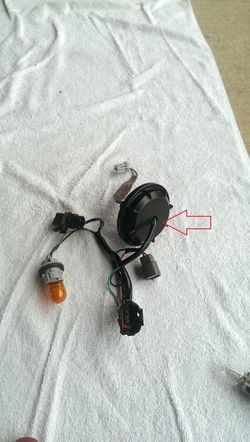
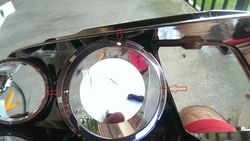
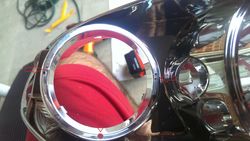
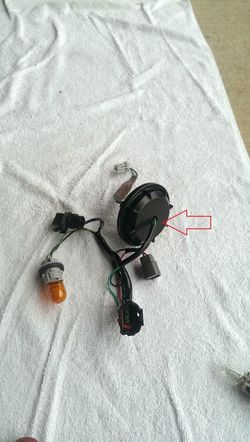
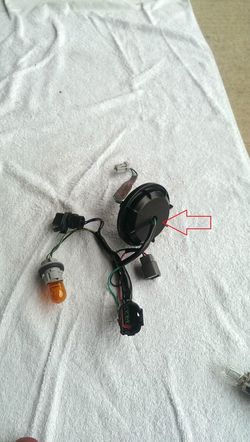
Also, before closing up the headlights, make sure the wiring for the angel eyes is in the appropriate position within the headlights. I had my wires coming to the center part of the light, where the low/high beam bulb is located (I hope that makes sense, I wish I had taken a picture). Also, once the lights are installed back in the car, in order to wire the angel eyes, you will need to drill a hole in the following cover in order to route the wires outside the headlight:
I didn’t include any wiring instructions, but if anyone has any questions about wiring please let me know and I’ll answer them to best of my ability! I wired my angel eyes with an independent switch, and also independent of the DTRLs, etc, so that I could turn them on and off whenever I want.
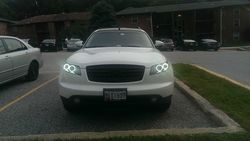
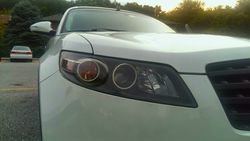
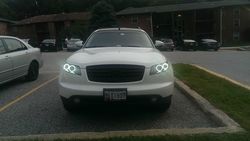
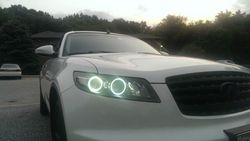
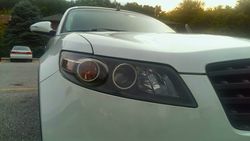
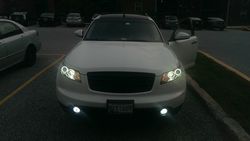
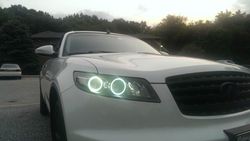
Pics of the finished installation:
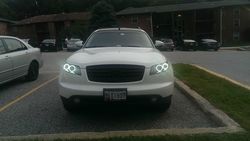
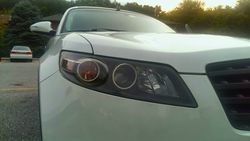
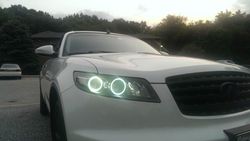
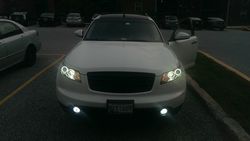
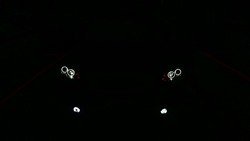
Please let me know what you all think! Any suggestions for improvement are also welcome!
I take no responsibility for any damage done to your lights, perform at your own risk!!
So here it goes:
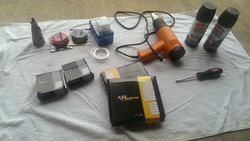
Tools/Items Needed:
Headlights
Philips screwdriver
Flat head screwdriver
Heat gun or Oven
Picture hanging wire (or any thin copper wire)
TSX clear lenses
Angel Eyes
Dremel or drill
Spray Paint (I used Krylon Fusion Satin Black)
Sandpaper (1000-1500 grit)
Alcohol wipes
Gloves
The first step that needs to be done is to remove your headlights from the car. I had an extra pair of headlights so I didn’t need to do this step. For reference, please see the following DIY to remove the front bumper so that you’ll be able to remove your headlights:
https://www.infinitiscene.com/search/1/?q=4590-Front-Bumper-Removal
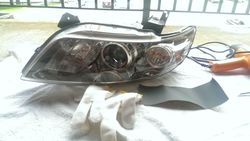
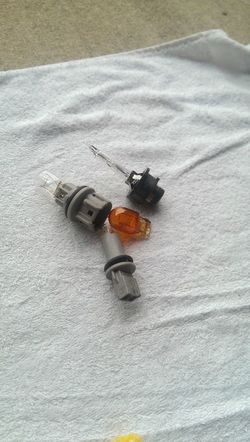
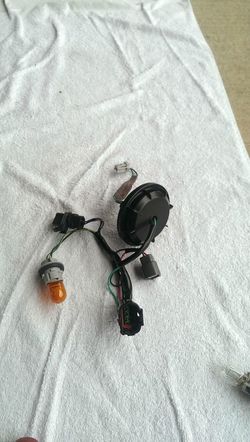
Once your headlights are out, remove all the bulbs and sockets from the headlights, along with all the wiring and ballasts, see the pics below:
Once you have all these items removed, remove the following three screws:
Then, you’re ready to pop the headlights into your oven. You can also use a heat gun, but it will just take a lot longer to separate the lights. I set the temperature of the oven to 300 degrees and let it preheat for about 5 minutes and then shut the oven off. MAKE SURE YOU TURN THE OVEN OFF AFTER IT PREHEATS!! Then I opened up the oven, placed a wooden plank on the rack and then placed the headlight on top of the plank. I then shut the oven door, and left the light inside for a further five minutes.
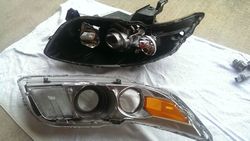
Before taking out the light, put on some heat gloves or have a towel handy. Once the light is out start pulling the black, back portion away from the front, clear portion of the light. This part was actually a lot easier than I thought it would be. I didn’t even have to use a flat head screw driver to pry them apart. I just pulled apart the two portions with my hands and they came apart easily. This is what you’re light will look like once pulled apart:
Let’s start working on the front, clear portion first. The front portion is further broken down into two parts. To do this remove the following screws:
Once that’s done, your light will look like this:
Now to remove the DTRL clear lens, orange side marker, and clear turn signal marker:
Remove these two screws (I had already removed the one on the left when I took the pic):
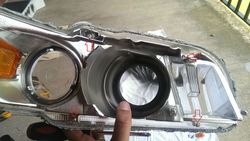
Once removed, lift this silver tab up a bit and the DTRL marker should come out easily. Don’t use too much force on the tab, or you might risk breaking it:
There is a similar sort of tab holding down the orange side marker. I forgot to take a close up pic of it, but I’ve highlighted it in this pic. Lift this tab up slightly and the orange marker should come out fairly easily too.
For the clear turn signal lens just pry around with these tabs:
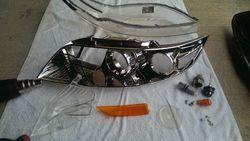
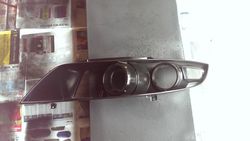
This is what you’re light will look like after:
Once you have the chrome portion of the light separated, you need to drill some holes for the angel eye wiring and for the wiring that you will be using for mounting the angel eyes. You could also use some JB weld epoxy to attach the angel eyes if you don’t want to drill holes, but that is a more permanent solution and the angel eyes will be difficult to remove if they ever end up fusing out and needing to be replaced. However, you will need to drill a hole for the electrical wiring that is connected to the angel eyes. Here are pics of the holes I drilled:
Once you have these holes drilled, it’s time to sand down the chrome in order to get it ready for painting. This isn’t a necessary step since the Krylon fusion spray bonds to plastic, but I went ahead and did it anyways. I used 1500 grit sandpaper and wet sanded the shrouds until they were scuffed up. Let them dry thoroughly before painting (sorry no pic of the wet sanding step)
Once the shrouds are completely dry, proceed to paint them. After two coats of Krylon Fusion Satin Black (I did a total of three coats):
I let the shrouds dry overnight (might have been a bit overkill but I wasn’t in a hurry to complete the project so I took my time) with a fan blowing air over them.
Once the paint is dry you can proceed to attach the angel eyes to the shrouds.
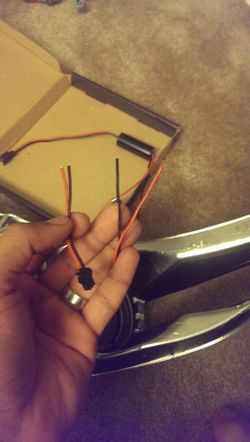
You’ll need to cut the wires coming out from the angel eyes in order to be able to pass them through the hole you drilled in the shroud previously (they have a plug on the end of them that is too big to fit through the hole):
Once the wires are cut, pass the wires through the hole in the shroud.
You may then proceed to use some picture hanging wire (or copper wire, I used some 26 gauge wire) to mount the angel eyes to the shrouds securely. Alternatively, you may use some JB weld epoxy, it’s really up to you.
Once the angel eyes are mounted, you may proceed to strip the wires that you previously cut, and reattach them back to the angel eyes. I simply stripped the plastic off them, put some heat shrink on top and wrapped them in electrical tape. You could also solder them together, but I have no experience soldering so I went the heat shrink route.
Before I closed up the headlights, I wanted to make sure the angel eyes were working properly, so I wired everything up and proceeded to connect them to a small 12 volt battery to make sure they lighted up (I let them run until the battery died, about an hour):
So now that we’ve blacked out our headlights and added angel eyes, it’s time to mod the projectors and add the clear TSX lenses:
Take out the following 4 screws:
Once the screws are out, the projector should come out easily
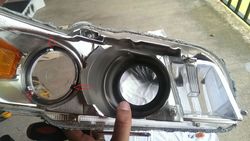
Once the projector is out, you need to pry the retaining cover off like so in order to remove the stock lens:
There are various indentations across the retaining cover that you need to slowly pry up. Go slow, and do each side equally until the cover comes off. Don’t use too much force on one side while ignoring the other sides, you’ll never get it off if you do it like that.
Once the retaining cover is removed, simply pick up the stock lens and move it to the side.
The next step that you need to do is remove the cutoff shield so that it can be modified. I forgot to take a pic of this so I’m using a previous picture to show what screws need to be removed first:
Once these two screws are removed, the cutoff shield should come out fairly easily. You should have these three items that were removed:
Now, as most of you know, there are two types of headlights for the Fx; the pre-recall and post-recall headlights. The cut-off shields for both headlights are different. I somehow ended up with one pre-recall and one post-recall headlight so I will show what exactly needs to be removed on both shields. You can snip them off using scissors or a Dremel. I used a Dremel.
PRE-RECALL:
Before:
After:
POST-RECALL:
Before:
After:
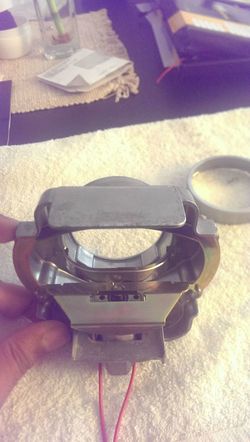
Once these shields are removed, you may re-assemble the projector (minus the clear TSX lens). Here is what it looks like reassembled:
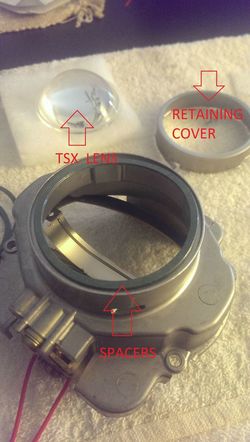
Once you have the cutoff shield re-installed, it is time to install the TSX clear lens. Put two spacers in the location that is shown in the pic (I bought the spacers with the TSX lenses, you can also make your own if you want):
Before installing the clear lens, I wiped it down with some alcohol wipes to get rid of any dust or debris on them, and made sure they were clean.
Once clean, place the clear lens on top of the spacers, and proceed to put the retaining cover back on. Make sure you go slow and steady, you don’t want to end up scratching your brand new clear lens!
Once the lens is installed, just reattach the projector to the headlight housing with the four screws that you removed previously.
Now all you need to do is reassemble everything!! Just go in the reverse order of what I’ve written and reattach all markers etc. Once you have the blacked out shroud attached to the clear front portion of the headlight, you will need to reattach it to the rear, black portion of the headlight. Just push together both portions as much as you can and then use the same heating method as mentioned above (the oven method) to re-melt the glue. Once the glue is re-melted, further push together both portions of the headlight. You may even add some silicone around the joints for added protection (I did).
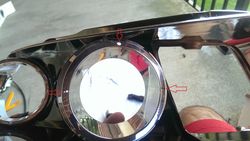
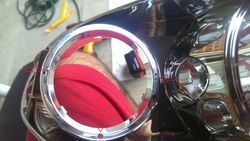
Also, before closing up the headlights, make sure the wiring for the angel eyes is in the appropriate position within the headlights. I had my wires coming to the center part of the light, where the low/high beam bulb is located (I hope that makes sense, I wish I had taken a picture). Also, once the lights are installed back in the car, in order to wire the angel eyes, you will need to drill a hole in the following cover in order to route the wires outside the headlight:
I didn’t include any wiring instructions, but if anyone has any questions about wiring please let me know and I’ll answer them to best of my ability! I wired my angel eyes with an independent switch, and also independent of the DTRLs, etc, so that I could turn them on and off whenever I want.
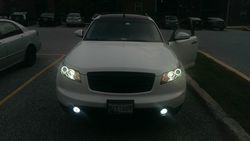
Pics of the finished installation:
Please let me know what you all think! Any suggestions for improvement are also welcome!
Attachments
-
 aPbYSPO.jpg150.5 KB · Views: 131
 -
 aPbYSPO.jpg150.5 KB · Views: 125
 -
 TG3RXV2.jpg108 KB · Views: 154
 -
 TG3RXV2.jpg108 KB · Views: 135
 -
 qnKjUs1.jpg138.9 KB · Views: 150
 -
 qnKjUs1.jpg138.9 KB · Views: 141
 -
 HBXBTwf.jpg154.4 KB · Views: 123
 -
 HBXBTwf.jpg154.4 KB · Views: 146
 -
 MFsGqPY.jpg121.3 KB · Views: 150
 -
 MFsGqPY.jpg121.3 KB · Views: 124
 -
 L3qrn9N.jpg100.5 KB · Views: 135
 -
 L3qrn9N.jpg100.5 KB · Views: 156
 -
 oyBIV8M.jpg152.1 KB · Views: 149
 -
 oyBIV8M.jpg152.1 KB · Views: 122
 -
 75a7dj1.jpg142.9 KB · Views: 126
 -
 75a7dj1.jpg142.9 KB · Views: 159
 -
 mnDWpIC.jpg170.2 KB · Views: 121
 -
 mnDWpIC.jpg170.2 KB · Views: 122
 -
 7AJl4Q0.jpg105.5 KB · Views: 139
 -
 7AJl4Q0.jpg105.5 KB · Views: 114
 -
 UdNbpwQ.jpg125.5 KB · Views: 151
 -
 UdNbpwQ.jpg125.5 KB · Views: 119
 -
 XAUu9Op.jpg153 KB · Views: 129
 -
 XAUu9Op.jpg153 KB · Views: 121
 -
 PouQo9V.jpg142.2 KB · Views: 131
 -
 PouQo9V.jpg142.2 KB · Views: 123
 -
 D47ZxMw.jpg174.4 KB · Views: 133
 -
 D47ZxMw.jpg174.4 KB · Views: 116
 -
 MgjYDu6.jpg107.6 KB · Views: 154
 -
 MgjYDu6.jpg107.6 KB · Views: 124
 -
 n5Ulcah.jpg124.3 KB · Views: 115
 -
 n5Ulcah.jpg124.3 KB · Views: 132
 -
 VAtknoR.jpg85.2 KB · Views: 121
 -
 VAtknoR.jpg85.2 KB · Views: 119
 -
 NaoRw6V.jpg92.5 KB · Views: 132
 -
 NaoRw6V.jpg92.5 KB · Views: 127
 -
 JEbl94F.jpg110.1 KB · Views: 125
 -
 JEbl94F.jpg110.1 KB · Views: 122
 -
 UHKrzuv.jpg93.8 KB · Views: 117
 -
 UHKrzuv.jpg93.8 KB · Views: 112
 -
 RCHzERp.jpg127 KB · Views: 124
 -
 RCHzERp.jpg129.8 KB · Views: 117
 -
 sdX06tM.jpg81.4 KB · Views: 112
 -
 Ec74j0O.jpg83.4 KB · Views: 116
 -
 sdX06tM.jpg81.4 KB · Views: 136
 -
 Ec74j0O.jpg83.4 KB · Views: 151
 -
 VxlPFVy.jpg99.2 KB · Views: 110
 -
 VxlPFVy.jpg99.2 KB · Views: 113
 -
 nrJrbom.jpg102.4 KB · Views: 119
 -
 nrJrbom.jpg102.4 KB · Views: 141
 -
 VAqj6qM.jpg97.3 KB · Views: 121
 -
 VAqj6qM.jpg97.3 KB · Views: 131
 -
 SF56Dzz.jpg96.2 KB · Views: 129
 -
 SF56Dzz.jpg96.2 KB · Views: 130
 -
 E59he6k.jpg97 KB · Views: 136
 -
 E59he6k.jpg97 KB · Views: 125
 -
 yWMqydp.jpg101.8 KB · Views: 117
 -
 yWMqydp.jpg101.8 KB · Views: 106
 -
 TYPaSVO.jpg107.3 KB · Views: 139
 -
 TYPaSVO.jpg107.3 KB · Views: 119
 -
 rFX2zE7.jpg155.7 KB · Views: 131
 -
 MXjlBAx.jpg109 KB · Views: 113
 -
 rFX2zE7.jpg155.7 KB · Views: 137
 -
 FmWNpND.jpg89.5 KB · Views: 125
 -
 MXjlBAx.jpg109 KB · Views: 116
 -
 GpmhPEm.jpg70.7 KB · Views: 135
 -
 FmWNpND.jpg89.5 KB · Views: 127
 -
 6L5zrMu.jpg86.4 KB · Views: 121
 -
 GpmhPEm.jpg70.7 KB · Views: 117
 -
 IKrWi5o.jpg25.5 KB · Views: 129
 -
 6L5zrMu.jpg86.4 KB · Views: 115
 -
 IKrWi5o.jpg25.5 KB · Views: 111


